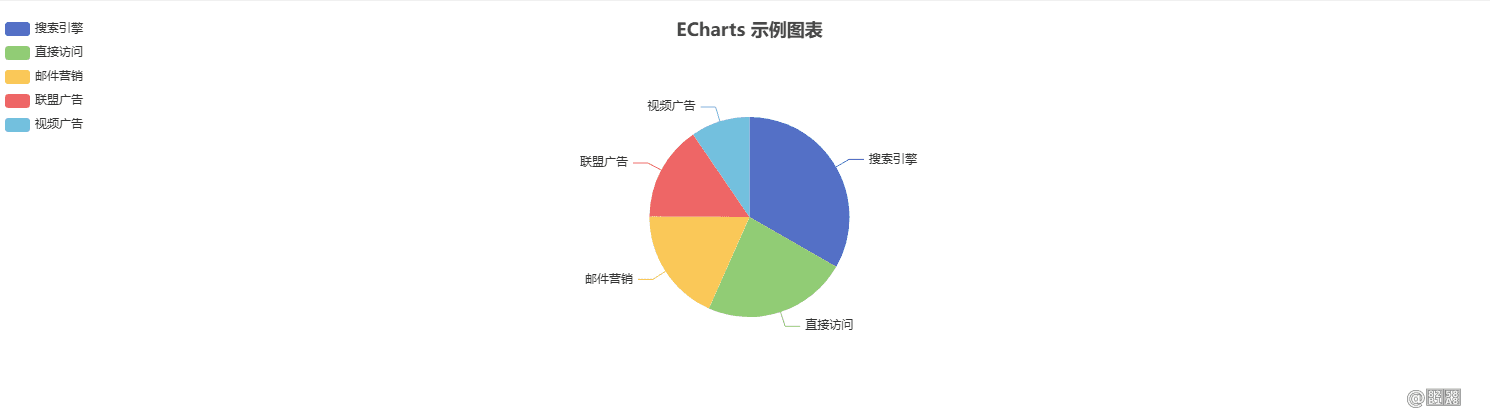
Angular18导入Echart的最简单步骤
安装Echarts依赖 shell npm install echarts 安装Angular的Echarts封装库 shell npm install ngx echarts 在独立组件中配置 js @Component({ selector: 'echarts', standalone: true, imports
安装Echarts依赖
npm install echarts
安装Angular的Echarts封装库
npm install ngx-echarts
在独立组件中配置
@Component({
  selector: 'echarts',
  standalone: true,
  imports: [NgxEchartsModule],
  providers: [
    {
      provide: NGX_ECHARTS_CONFIG,
      useValue: { echarts: () => import('echarts') }, // 手动提供配置
    },
  ],
  templateUrl: './echarts.component.html',
  styleUrl: './echarts.component.css',
})
在组件中实现
HTML部分:
<div echarts [options]="chartOptions" class="chart-container"></div>
CSS部分
.chart-container {
  width: 100%;
  height: 400px;
}
TS部分
export class ChartComponent implements OnInit {
  chartOptions: any;

  ngOnInit(): void {
    this.chartOptions = {
      title: {
        text: 'ECharts 示例图表',
        left: 'center',
      },
      tooltip: {
        trigger: 'item',
      },
      legend: {
        orient: 'vertical',
        left: 'left',
      },
      series: [
        {
          name: '访问来源',
          type: 'pie',
          radius: '50%',
          data: [
            { value: 1048, name: '搜索引擎' },
            { value: 735, name: '直接访问' },
            { value: 580, name: '邮件营销' },
            { value: 484, name: '联盟广告' },
            { value: 300, name: '视频广告' },
          ],
          emphasis: {
            itemStyle: {
              shadowBlur: 10,
              shadowOffsetX: 0,
              shadowColor: 'rgba(0, 0, 0, 0.5)',
            },
          },
        },
      ],
    };
  }
}
完成